
From a plan to a finished run, step by step.
A plan is the library. A run is one pass through it, against one environment, on one version of the plan. Everything Assay records hangs off the run.

Four steps from a document to a result.
Import the plan
The importer parses the markdown into sections, cases, and steps. A dry run reports the counts and the warnings; the real import stores version 1, or a new version if the text changed.
Generate a run
Pick the plan, its version, an environment, and a preset or filter. Assay copies the matching cases and steps into the run and records which version it came from.
Work the cases
Check off steps and record each case's result in the web app, or assign cases to people and agents who report them. A fail needs a description of what actually happened.
Link the failures
A failed case is filed as a Docket card with its steps and environment, or linked to a card that already exists. The run's progress shows resolved, passed, failed, and blocked counts.
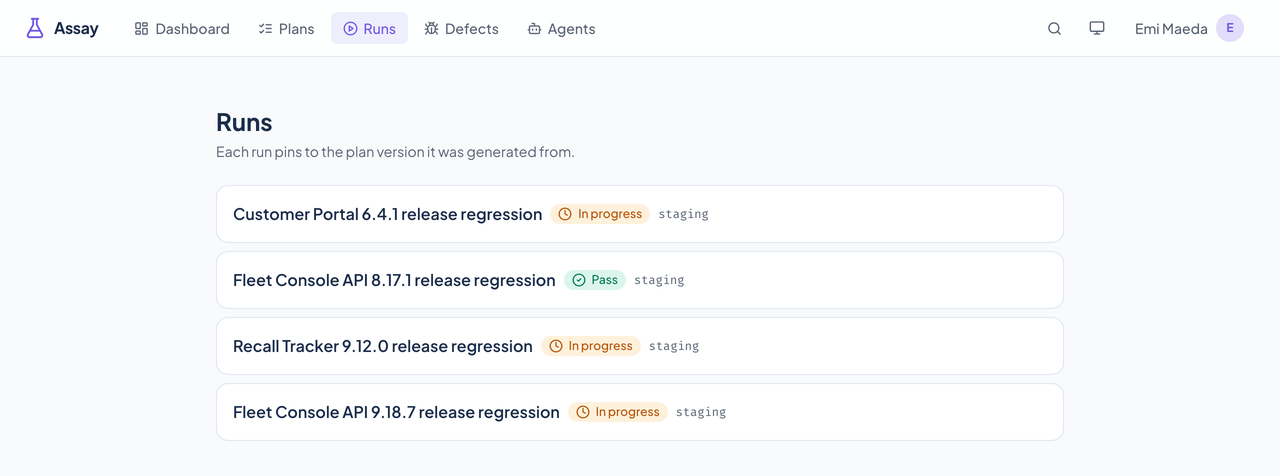
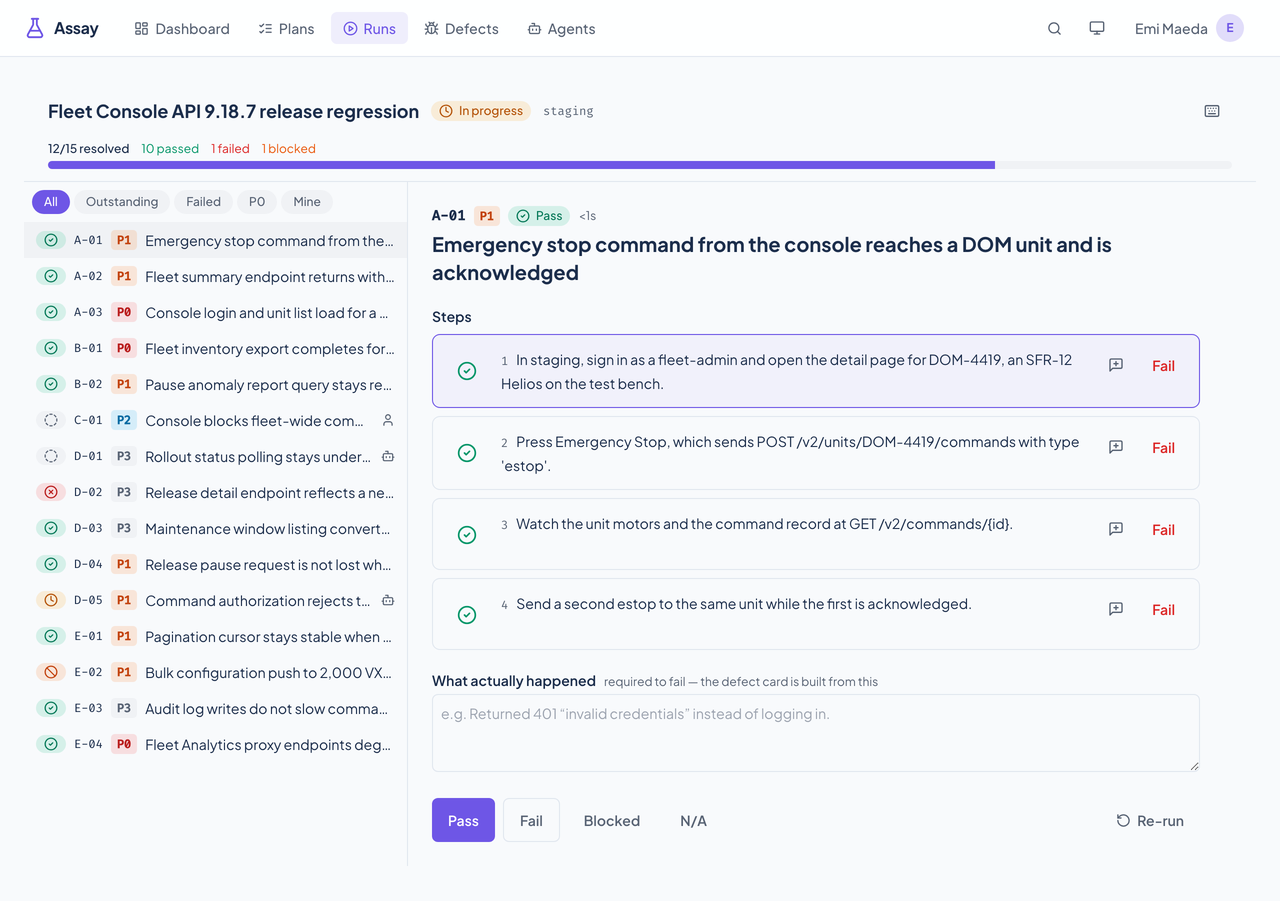
Run the whole plan, or just the slice you need.
Presets are stored filters, not special code. You can also pass your own filter (sections, priorities, tags, defect tags, or case keys), and an explicit key wins over the preset.
| Preset | What it generates |
|---|---|
| Full | Every case in the plan version. |
| P0 and P1 | Only the blocker and critical cases. |
| Known defects | Only cases that carry a known-defect tag, the regression set to re-run after a fix. |
| Agent-executable | Only cases marked as safe for an agent to run. |
| Manual only | Cases with no automation reference. |
| Case status | Meaning |
|---|---|
| Not started, in progress | Waiting, or someone (or an agent holding a lease) is on it. |
| Pass | Every step held. |
| Fail | Recorded with what actually happened; the failing step is marked. |
| Blocked | It could not be run, with a note on why. |
| Not applicable, skipped | Set aside on purpose. |
A run is evidence, so it can't move.
Runs pin to a version
Plan content is append-only. A run stays on the version it was generated from, so publishing a new version never changes a run that is under way or finished.
Markdown in, markdown out
Export produces a document a person would accept as the source. Editing in a text editor and importing again is a supported loop.
Nothing fails silently
A Docket call that fails, a lease that expires, or a queued side effect that won't deliver is recorded, logged as an error, and shown, not swallowed.
Assay's API also has per-run pass rates, never-executed cases, and flaky-case reports. The web app does not show them.